In the digital world, the security of your online accounts is paramount, and two-factor authentication (2FA) serves as a critical defense mechanism against potential cyber threats. By requiring two forms of verification, 2FA ensures that the security of your accounts does not rely solely on passwords. This additional layer of security makes unauthorized access significantly more challenging, providing peace of mind in an era where digital safety is continuously threatened.
The Importance of Two-Factor Authentication
Two-factor authentication is not just an option but a necessity in safeguarding your digital identity. It is especially critical because many users tend to reuse passwords across multiple sites. If a hacker gains access to one password, they could potentially unlock more than one account. Adding a second layer of security minimizes this risk dramatically.
.png)
Moreover, 2FA is an effective countermeasure against phishing attacks, which are increasingly sophisticated and difficult to detect. Even if a user is tricked into revealing their password, the second factor of authentication can stop an attacker in their tracks, preventing further damage.
How Two-Factor Authentication Protects You
Implementing 2FA can involve various methods, each with its strengths and specific use cases:
- SMS and Email Codes: This method sends a code to your phone or email after you've entered your password. While user-friendly, it's less secure than other methods due to vulnerabilities in mobile and email infrastructures.
- Authentication Apps: These apps, such as Google Authenticator or Authy, generate codes that expire within a short window. This method is more secure than SMS or email because it does not depend on network-based communication, which can be intercepted.
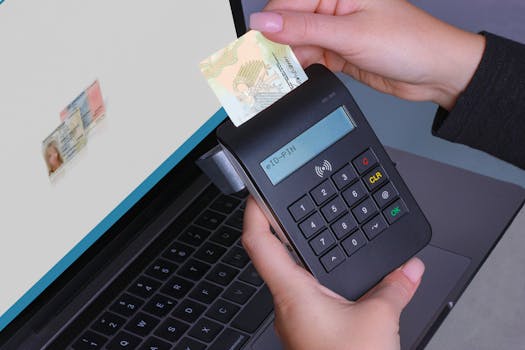
- Hardware Tokens: These physical devices generate codes or use biometric data to verify a user’s identity. They are among the most secure methods of 2FA, providing strong protection against remote hacking attempts.
- Biometric Verification: Using biometrics (fingerprint, facial recognition, etc.) ties the authentication process to something uniquely yours. It is both secure and user-friendly but requires devices equipped with appropriate sensors.
Implementing Two-Factor Authentication
Setting up 2FA is a straightforward process that can greatly enhance your security online:
- Access the security settings in your account preferences.
- Select the “Two-Factor Authentication” option.
- Choose a method for 2FA based on the options provided by the service.
- Complete the setup process as directed, which may include verifying a code sent to your phone or scanning a QR code for an authentication app.
Best Practices for Two-Factor Authentication
To maximize the benefits of 2FA, consider the following tips:
- Safeguard your backup codes: If you lose access to your second factor, these codes are your lifeline. Keep them in a secure location.
- Opt for more secure methods: Whenever possible, use authentication apps or hardware tokens instead of SMS or email.
- Keep your recovery details current: Regular updates to your recovery options will prevent lockouts and ensure you can always access your account.
Conclusion
Two-factor authentication is an essential tool in the arsenal of digital security measures. By requiring additional verification, it significantly enhances the protection of your online accounts against unauthorized access. In an age where cyber threats are increasingly common and sophisticated, enabling 2FA is a wise and necessary step in protecting not just your personal information but your peace of mind.